

Manage supplier data
Addresses, company IDs, the bank account and the contact person of every supplier stay together in one record. Keep them up to date, and your whole team has the right details at hand whenever it works with that supplier.
How to update supplier details
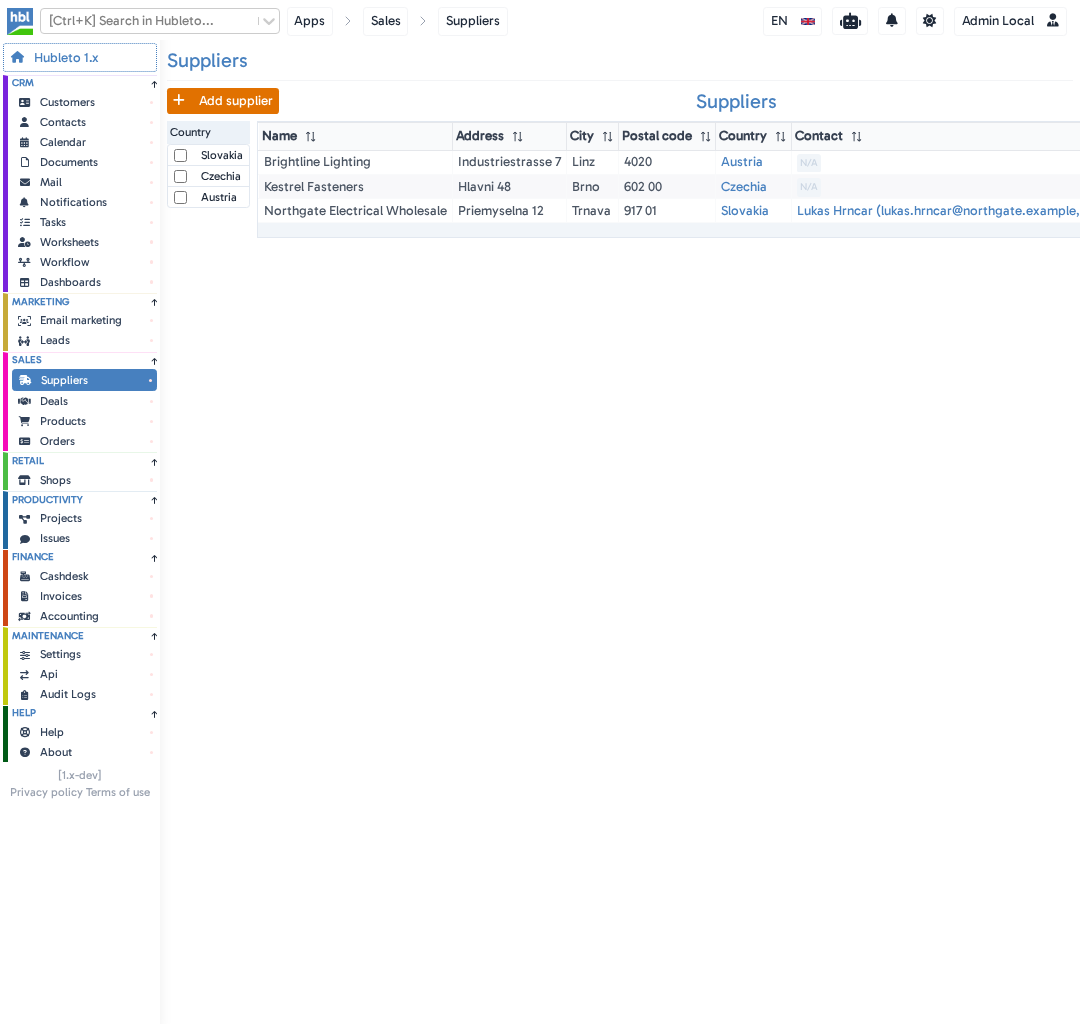
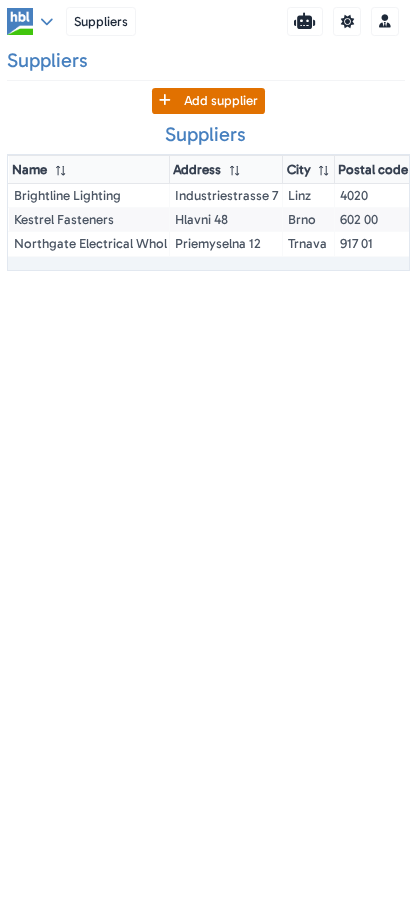
Go to Sales → Suppliers and click the supplier.
The supplier detail opens next to the list.
Change the details you need.
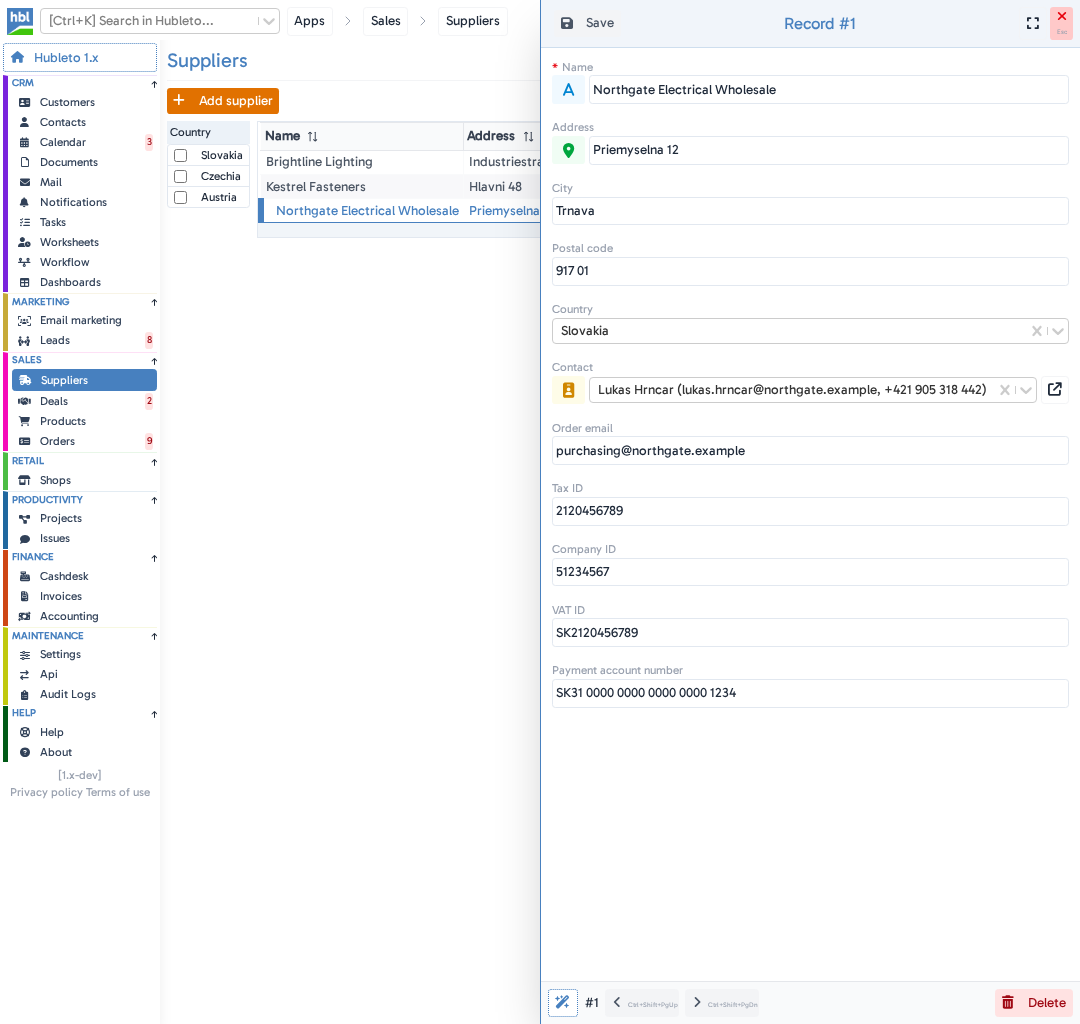
The supplier detail contains:
- Name - the supplier name (required).
- Address, City, Postal code, Country - where the supplier is based.
- Contact - the person you deal with.
- Order email - the email address for your orders.
- Tax ID, Company ID, VAT ID - the supplier identification numbers.
- Payment account number - the bank account you pay to.
Click Save.
Your changes are saved, and the detail stays open.
How to set the contact person
The contact person comes from your contacts. If the person isn't there yet, add them in CRM → Contacts first.
Go to Sales → Suppliers and click the supplier.
Click the Contact field and choose the person.
Each contact is listed with their email address and phone number, so you can be sure you picked the right one.
Click Save.
The contact now appears in the Contact column of the supplier list.
How to delete a supplier
Go to Sales → Suppliers and click the supplier.
Click Delete in the bottom right corner.
The button changes to Confirm delete.
Click Confirm delete.
The supplier is removed from the list.
A supplier that is linked to products can't be deleted. Hubleto keeps it and tells you that other data is linked to it.
Tips
- Link the supplier to the products you buy from them. The product's
Supplierstab keeps their product codes, purchase prices and delivery times. See Link to products. - Your suppliers are ready to use in purchase orders. In
Sales→Orders, clickPurchase orderat the top of the order and choose the supplier in theSupplierfield.
Common mistakes
Deleting a supplier that is linked to products → Hubleto keeps the supplier.
Looking for the supplier's products in the supplier detail → they are in the Suppliers tab of each product.
Summary
| Topic | Summary |
|---|---|
| Where to find suppliers | Sales → Suppliers |
| Updating details | Click the supplier, change the details and click Save. |
| Contact person | Choose a person from your contacts in the Contact field. |
| Deleting | Delete, then Confirm delete. Only for suppliers without linked products. |