

Deal stages (pipeline)
Every deal in Hubleto moves through clear stages, from the first contact to the final result. Your pipeline shows at a glance where each opportunity stands, so the whole team knows what needs attention next and no deal slips through the cracks.

The default stages
Hubleto comes with seven stages that are ready to use: Prospecting, Qualified, Quote Sent, Under Review, Contracting, WON and LOST. You can change them to match your own sales process.
In Hubleto, stages are also called workflow steps. You will see this name in the deal list and in the settings.
How to see your pipeline
Go to Sales → Deals.
The Workflow step column shows the current stage of each deal.
Tick a stage under State in the filter on the left.
The list shows only the deals in that stage.
How to move a deal to the next stage
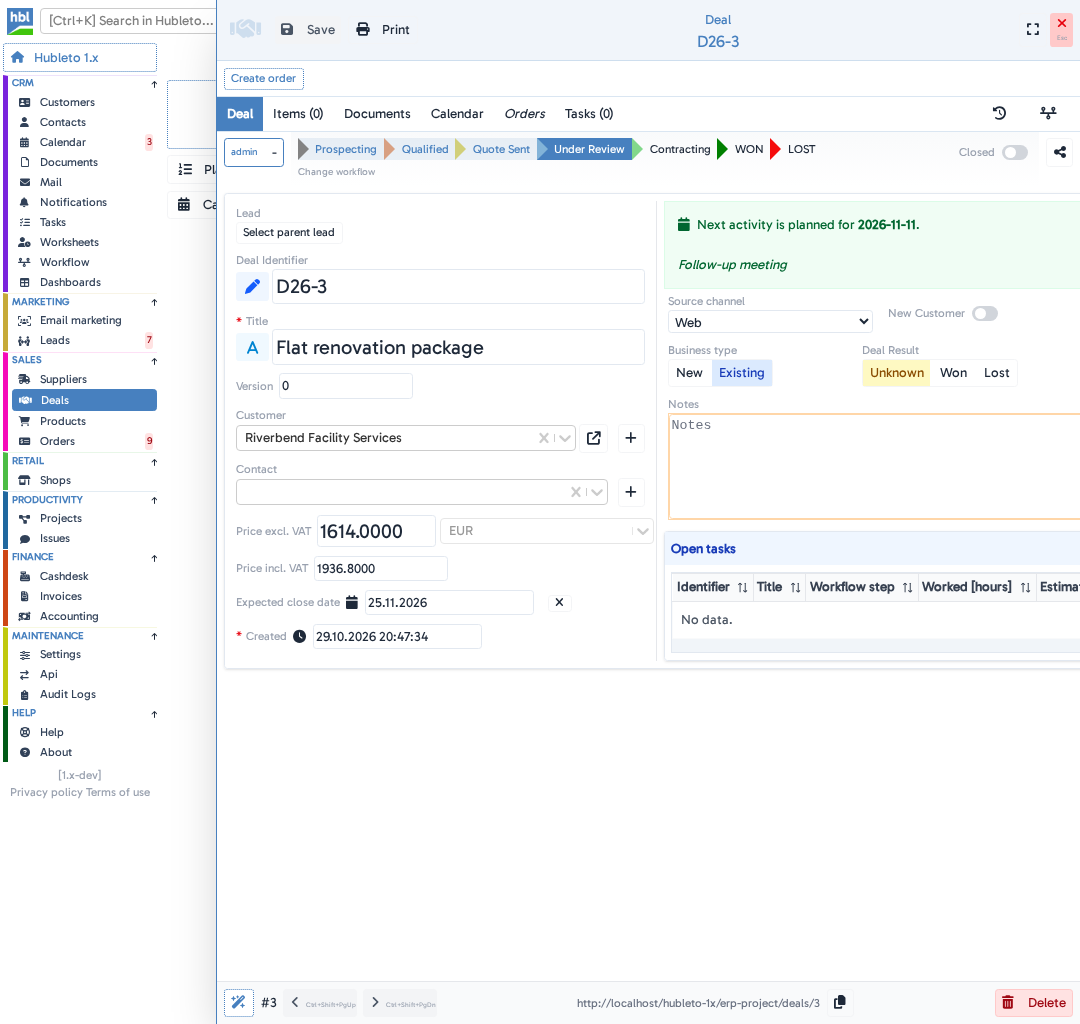
Go to Sales → Deals and click the deal.
The deal detail opens. All stages are listed in a row below the tabs, and the current one is highlighted.

Click the new stage.
Click Save.
The deal moves to the new stage in the list and on the board.
Moving a deal to WON or LOST closes it automatically when you save.
The pipeline board
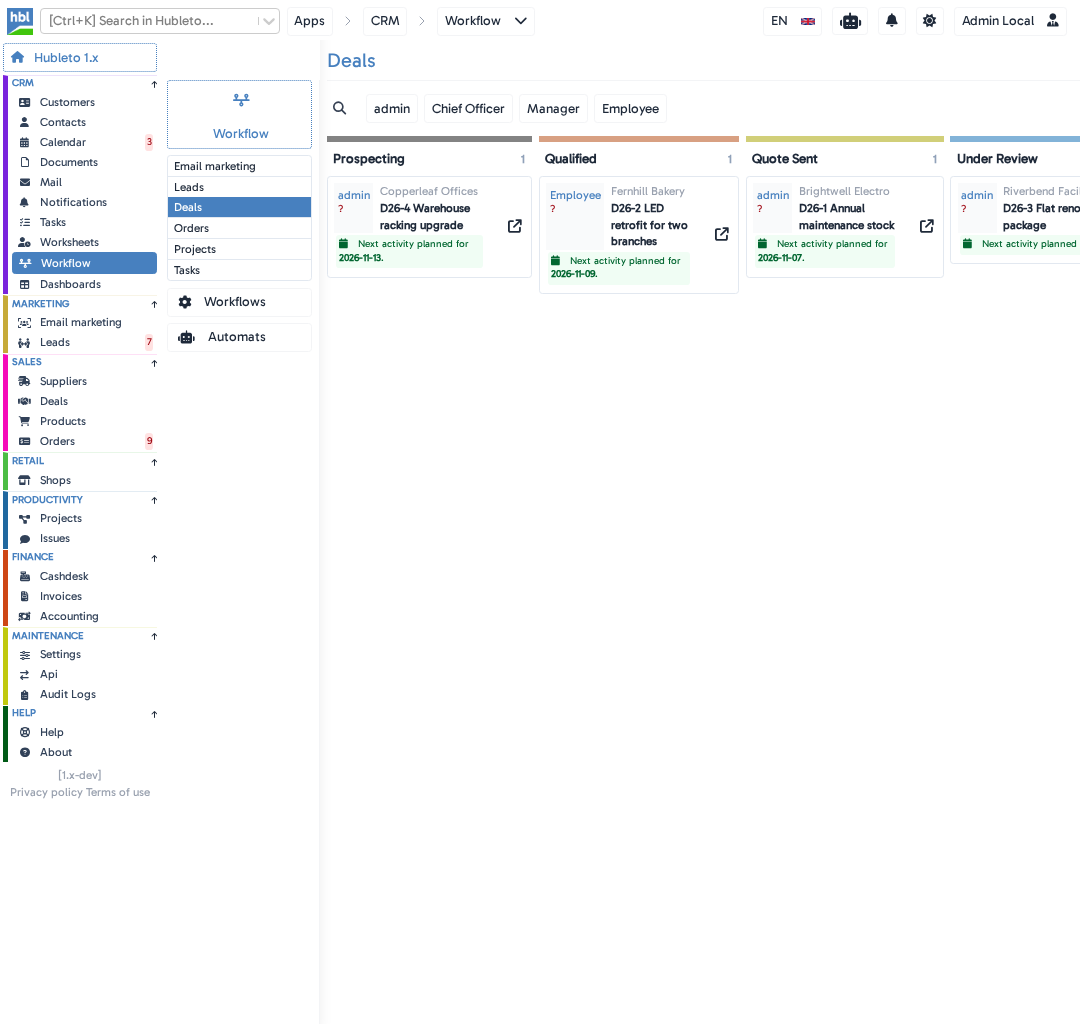
The board is a separate view of your open deals, with one column for each stage. It has its own place in the menu: CRM → Workflow → Deals. The number next to each stage tells you how many deals are in it, and the arrow icon on a card opens the deal.
How to adapt the stages to your process
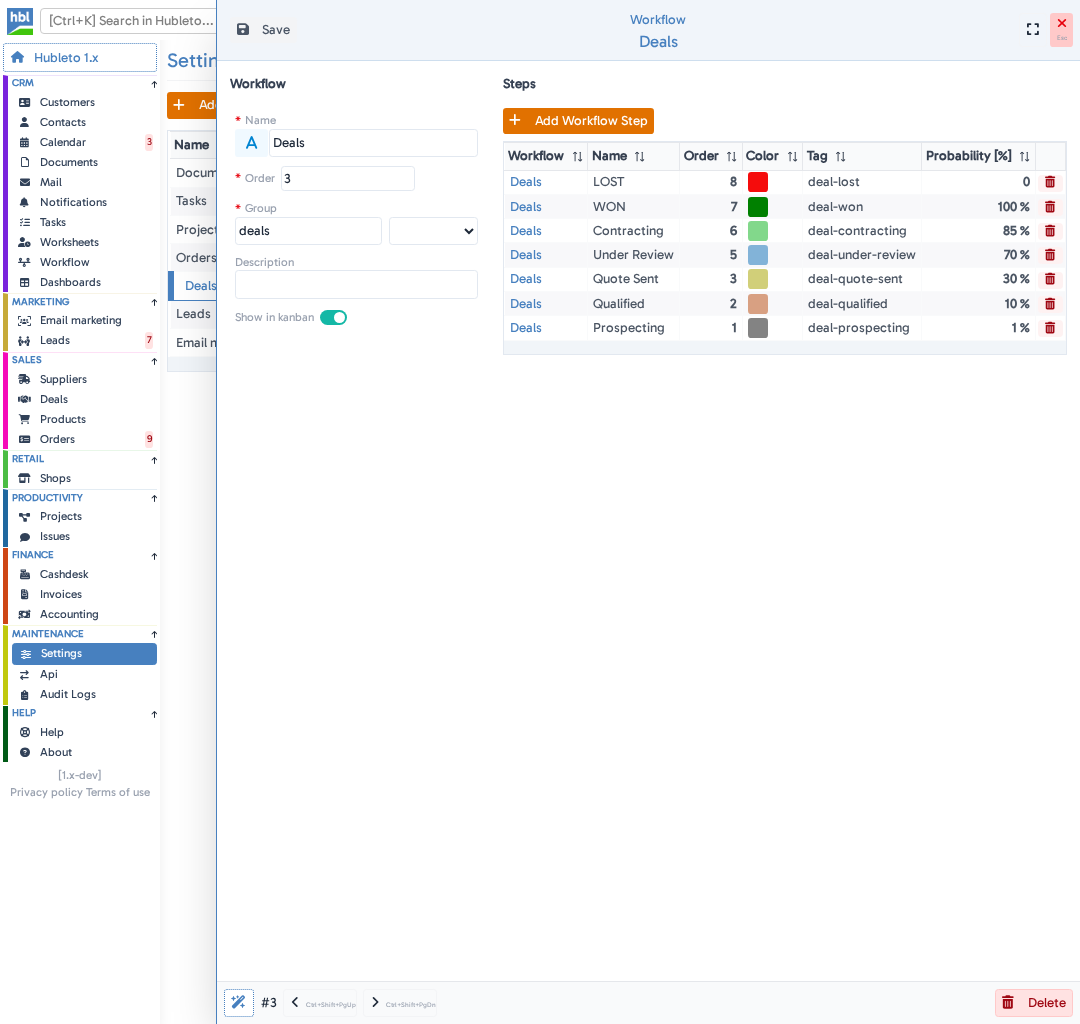
Go to CRM → Workflow and click Workflows in the panel next to the menu.
Click Deals.
You will see all stages of the pipeline.
Click
Fill in the form.
A form will open where you fill in:
- Color (required) - click the small box at the top of the form and pick a color.
- Name (required) - the name of the stage.
- Order (required) - the position of the stage in the pipeline.
- Probability - a percentage for the stage (optional).
Click
The new stage appears on the board straight away.
Tips
- Combine the
Statefilter withSource channelorOwnershipto see exactly the deals you need. - Plan the next activity for every open deal. Its date appears right on the card on the board.
Common mistakes
Stage not updated → the list and the board show an outdated picture.
Clicking a stage without clicking Save → the deal stays in its previous stage.
Moving a deal to WON or LOST without setting Deal Result → your results will be incomplete. See Evaluate success rates.
Summary
| Topic | Summary |
|---|---|
| Default stages | Prospecting, Qualified, Quote Sent, Under Review, Contracting, WON and LOST. |
| Pipeline overview | Sales → Deals shows every deal with its stage. |
| Pipeline board | CRM → Workflow → Deals shows all open deals by stage. |
| Moving a deal | Open the deal, click a stage and click Save. |
| Your own process | Add stages and set their order. |