


Evaluate success rates
Knowing how many deals you win, where they come from and why you lose the others helps you spend your time where it pays off. Hubleto keeps all of this with the deal, so a clear answer is only a few clicks away.
How to record the result of a deal


Set Deal Result to Won or Lost.
If you lost the deal, choose the Reason for Lost.
The field appears below the notes after you click Lost.
Click the WON or LOST stage.
Click Save.
The deal is closed and leaves your list of open deals.

How to see your won and lost deals
Go to Sales → Deals.
Click Closed under Open / Closed in the filter.
The list shows all finished deals.
Tick WON or LOST under State.
Tick a Source channel to compare your sales channels.
Use Ownership to see your own deals only.
How to calculate your success rate
Divide the number of won deals by the number of all finished deals.
| Closed deals | Count |
|---|---|
| WON | 4 |
| LOST | 3 |
| Success rate | 4 ÷ (4 + 3) = 57 % |
Repeat the calculation for each source channel to see which one brings you the best deals.
How to add columns to the list
Go to Sales → Deals, click the three dots next to Add Deal and choose Columns.
Tick the columns you want to see.
Customer, Price excl. VAT, Source channel, Deal Result and Reason for Lost are the most useful ones for evaluating your results.
Click Save.
The list shows your new columns.

How to export the results
Go to Sales → Deals and set the filters you need.
The export contains only the deals that match your filters.
Click the three dots next to Add Deal and choose Export to CSV.
Check the separator and click Export to CSV.
Your browser downloads the file, ready to open in a spreadsheet.
How to manage the reasons for lost deals
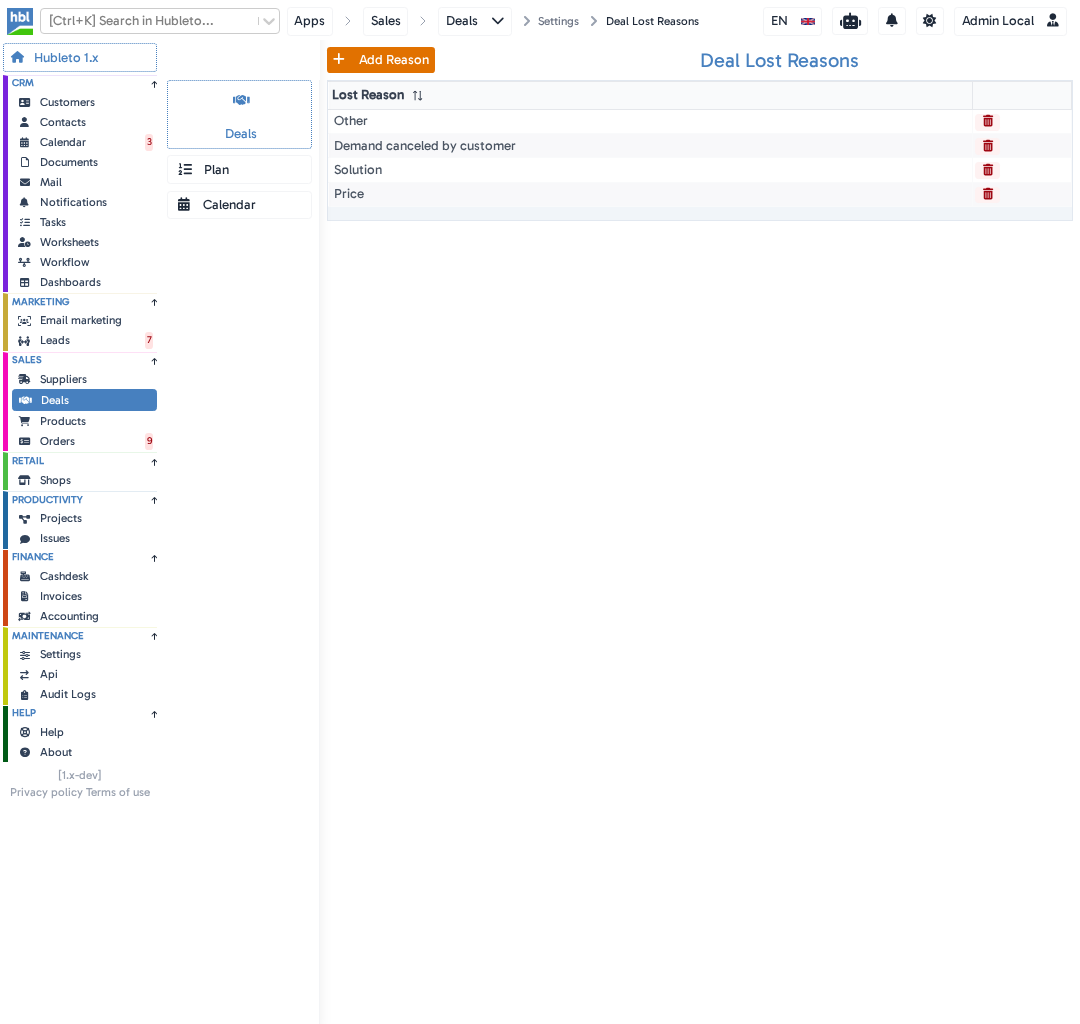
Hubleto comes with four reasons: Price, Solution, Demand canceled by customer and Other. To add your own, go to Maintenance → Settings, click Deal Lost Reasons and click
Tips
- Fill in
Source channelwhen you create a deal. It is the key to comparing your channels later. - Add the
Reason for Lostcolumn to see at a glance why deals were lost.
Common mistakes
Leaving Deal Result on Unknown → the result is missing from your evaluation.
Closing a lost deal without a Reason for Lost → you will not see why you lost it.
Counting open deals → only closed deals have a final result, so keep the Closed filter on.
Summary
| Topic | Summary |
|---|---|
| Recording a result | Set Deal Result and Reason for Lost, then click the WON or LOST stage and save. |
| Finding results | Filter by Closed, State, Source channel and Ownership. |
| Success rate | Won deals divided by all closed deals. |
| Further analysis | Add columns to the list or export it to CSV. |